
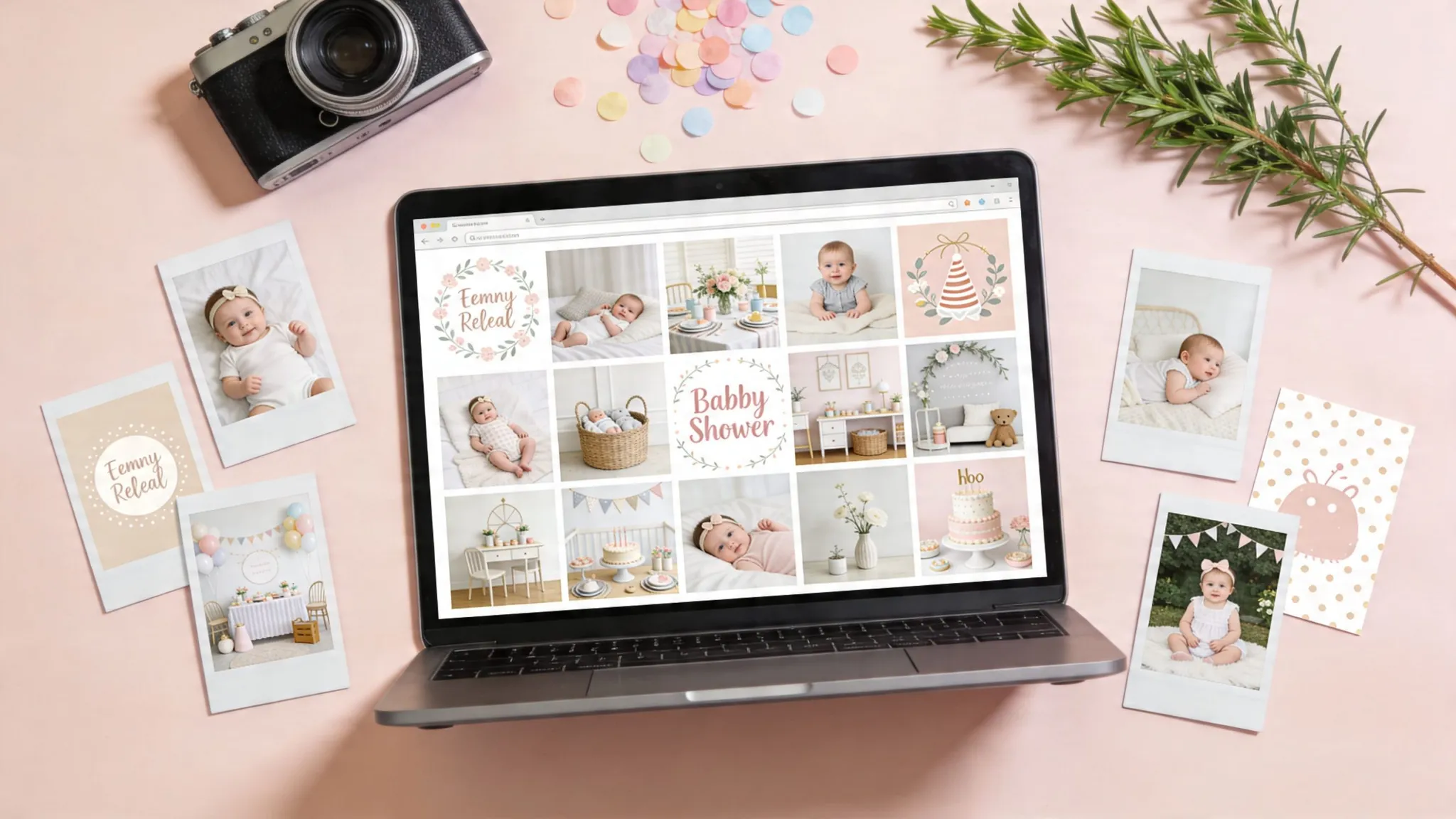
You’ve booked the brunch table, settled on a theme, and set up the registry. Then the visual work starts. That’s usually where a baby shower begins to drift off course.
I see the same problem often. The invite uses a soft watercolour bunny, the welcome sign switches to a bright cartoon design, the registry header gets cropped awkwardly on mobile, and the games are pulled from a different style again. None of those choices is disastrous on its own, but together they make the event feel less considered than it really is.
The fix is simple, but it does require a process. Set the mood first. Then choose licensed images from a source that fits your budget, print plans, and editing skills. After that, adapt the same visual direction across invitations, décor, games, social posts, and your registry page so everything feels like one event.
That workflow matters even more if guests are viewing details on their phones. A registry banner that looks polished and crops cleanly on mobile will hold up better across the full setup, especially if you’re using an online gift registry process that brings invitations and gift planning into one place.
The sources below are useful for different reasons. Some are better for polished commercial artwork. Some are better for editable templates. Some are fine for casual digital use but weaker for large-format print. I’ll cover the trade-offs, where each source works best, and how to use the images well on invites, signage, décor, and an online registry setup without creating licensing problems later.
1. Shutterstock
Shutterstock is the safest choice when you need polished baby shower images fast and you can’t afford to waste time digging through inconsistent results. It’s especially useful for invitations, printed signage, and registry banners where you want a clean, commercial finish instead of a casual social-media look.
The main advantage isn’t just volume. It’s control. You can filter by orientation, colour, style, contributor type, and image format, then keep building around one visual direction. For planners, that matters more than having endless options.
Where Shutterstock works best
If your shower theme is specific, like botanical, storybook, safari, lemon, teddy bear, or modern neutral, Shutterstock usually gives you enough matching assets to stay visually consistent across the whole event.
That’s hard to do on free sites. You might find one strong hero image elsewhere, but not a supporting set that covers:
- Invitations: polished hero photos, illustrations, and background textures
- Welcome signs: scenic art and soft-pattern backdrops
- Registry headers: clean banners that crop well on desktop and mobile
- Games and inserts: icon packs, borders, and editable vector art
Practical rule: If you’re printing anything larger than an A4 sign, inspect the asset type first. Vectors and high-resolution illustrations are usually more forgiving than a small JPG stretched too far.
Shutterstock is also straightforward about licence tiers. Standard works for most event collateral. Enhanced is the one to review if you’re using an asset in merchandise, resale products, or very broad distribution. For most private baby shower use, Standard is enough, but planners doing client work should check the intended use before downloading.
The trade-off
You pay for that convenience. Shutterstock can feel expensive if you only need one or two baby shower images and no design support. It’s better value when you’re building a full set of visual assets, not just grabbing a single photo.
I also recommend keeping a simple asset folder with downloaded licences and filenames, especially if multiple hosts are involved. If you’re creating a coordinated registry page alongside your invite suite, keeping your planning workflow tidy from the start helps. EasyRegistry’s how it works guide is a useful reference for how the page-sharing side fits into the broader event setup.
2. Adobe Stock

Adobe Stock is the best fit for hosts who already know they’ll be editing, resizing, layering text, or adapting the same artwork into multiple formats. If Shutterstock is the efficient stock library pick, Adobe Stock is the designer’s pick.
Its strength is the ecosystem. You don’t just get baby shower images. You get templates, vectors, backgrounds, and assets that move neatly into Photoshop, Illustrator, and InDesign. That’s a big advantage if you want the invite, welcome sign, favour tag, and registry hero image to feel like one set instead of four separate projects.
Why designers like it
Adobe Stock tends to be strong on curated aesthetics. The collections often feel more current and less “stocky”, especially for minimal, earthy, or editorial-style baby shower looks.
That makes it useful for modern themes such as:
- Soft neutral showers: linen textures, natural light, muted florals
- Editorial brunch showers: clean typography templates and lifestyle imagery
- Playful illustrated events: vectors you can recolour without rebuilding the whole design
The licensing is clear. Standard licensing has defined copy thresholds, and extended licensing covers broader use such as resale or larger production contexts. If you’re making private event materials, it’s usually simple. If you’re a planner packaging editable templates for clients, you need to review the terms carefully.
One market nuance matters here. In Australia, baby shower hosts report 85% satisfaction with visual-centric registry tools that use high-fidelity gift previews, and that correlates with a 22% surge in home-focused gift purchases projected for 2026 in the HomePage News Occasions Report (HomePage News baby showers occasions report). That lines up with what Adobe Stock does well: polished, high-resolution visuals that help the whole event feel intentional.
The catch
Adobe Stock makes the most sense if you’ll use the workflow benefits. If you aren’t touching Creative Cloud and just want one image for a digital invite, it can be more platform than you need.
Good baby shower images don’t just look nice in search results. They need to survive cropping, text overlays, and print export without falling apart.
Prices can also look a bit awkward for Australian users because plans often default to USD before regional settings catch up. Still, if you care about visual consistency and expect to design more than one piece, Adobe Stock earns its place.
3. iStock by Getty Images
iStock is the practical middle ground for people who want stronger curation than many budget libraries but don’t necessarily need a full design suite. It’s especially useful when you want baby shower images that feel authentic rather than heavily staged.
Getty’s influence shows in the editing. Search results often feel cleaner and more intentional, and the Signature tier is where some of the best lifestyle imagery lives. If your shower style is less “cute graphics” and more “warm, modern celebration”, iStock is a strong option.
Essentials versus Signature
iStock becomes easier once you know what you’re buying. Essentials gives you broad, usable stock at a lower tier. Signature is the premium layer with more refined photography and stronger visual storytelling.
For baby shower planning, that usually breaks down like this:
- Essentials: fine for simple invites, social posts, and lightweight signage
- Signature: better for hero visuals, keepsake prints, and polished registry banners
- Credit packs: useful if you only need a handful of assets
- Subscriptions: better if you’re sourcing across multiple events
The licence structure is also relatively easy to work with once you read it closely. Standard covers most event marketing and personal project use. Extended matters if your use goes beyond that, particularly for high-volume printed distribution or products for resale.
One area where iStock deserves credit is inclusivity. The stock market still has obvious gaps in baby shower imagery. In Australia, ABS data released in March 2025 notes that 6.2% of births in 2024 were to same-sex couples, 5.1% involved gender diverse parents, and 30% were to overseas-born mothers, yet current stock searches still lean heavily toward narrow, gendered imagery (Adobe Stock neutral baby shower search reference). iStock isn’t perfect here, but it often gives better results than smaller libraries when you search beyond pink-and-blue clichés.
What to watch
iStock’s buying model can confuse first-time users. Credits, tiers, and licence upsells aren’t hard once you’ve done it once, but they aren’t as frictionless as Canva or Pexels.
If you’re planning a shower with a strong visual identity and want photos that feel like real people, real homes, and actual gatherings, iStock usually performs well. If you need editable decorative elements more than photography, Freepik or Canva may be the better tool.
4. Canva

The invitation needs to go out tonight. The sign for the dessert table still is not done. The registry page looks unrelated to both. Canva solves that specific baby shower problem better than many stock libraries because it combines image sourcing, editing, resizing, and export in one workflow.
That matters if you are building a theme, not just collecting pretty pictures. A shower usually needs one visual direction carried across the invite, welcome sign, game cards, social posts, and registry header. Canva makes it easy to choose a style first, then apply it everywhere without exporting files back and forth between tools.
Where Canva works best
Canva is strongest for hosts who need finished pieces quickly and want reasonable control over the final look. It is especially useful for:
- Invitations: edit text, colours, sizing, and layout in minutes
- Digital sharing: story graphics, email headers, and mobile-friendly event posts
- Day-of stationery: signs, menus, advice cards, favour tags, and game sheets
- Registry styling: matching cover images and banners for your baby shower registry page
I use Canva most often after the theme is already clear. Neutral florals, teddy bear, lemon, safari, bow, moon-and-stars. Once that decision is made, Canva helps keep every item visually consistent. That consistency usually matters more than having the most exclusive image in the room.
The trade-off is asset quality control. Canva gives you speed, but it does not curate for you. Search results can mix polished photography, flat illustrations, clip-art style graphics, and trendy templates that date quickly. The fix is simple. Pick one visual lane and stick to it. One photo style. One illustration style. Two fonts at most. A tight colour palette.
What to watch before you download
Canva’s licensing is practical for standard event use, but it is not a blank cheque. Using an image inside an invitation, sign, or registry graphic is generally fine. Pulling Canva elements into products you plan to sell, or repackaging artwork as your own printable set, needs much closer review of the licence terms.
It also helps to test your design in the format guests will see. A layout that looks balanced on an A4 print can feel cramped on a phone screen. For baby showers, mobile readability usually wins. Keep text short, use high contrast, and avoid delicate script fonts for key details like date, time, and address.
Use Canva if you want the shortest path from concept to finished baby shower visuals, especially when the same theme needs to appear across invites, decor, and your registry page. Choose another source if your priority is premium standalone photography or a large library of specialised licensed images.
5. Freepik

A common planning problem starts like this. The invite looks lovely, then you try to build matching game cards, welcome signs, favour tags, and a registry header, and nothing feels like it belongs to the same shower. Freepik solves that better than most photo libraries because it is built for themed asset sets, not just one strong image.
It is the strongest option in this list for illustration-led baby shower styling. If your concept depends on teddy bears, bows, woodland animals, moons, florals, rainbows, clouds, or soft pattern backgrounds, Freepik usually gives you enough related pieces to build a full visual system. That matters when the goal is not only to find artwork, but to carry one theme across invites, decor, and a personalised EasyRegistry page.
Where Freepik is most useful
Freepik is at its best when you need assets that can be edited, recoloured, resized, and reused across multiple formats. That makes it practical for hosts who already know their theme and need the pieces to support it.
It works well for:
- Full decor suites: matching illustrations, frames, borders, and background patterns
- Print-first projects: vectors and PSDs for invitations, signs, advice cards, and games
- Theme-heavy showers: styles that need repeated motifs, not just one banner image
- Colour matching: adapting artwork to fit flowers, tableware, balloon palettes, or nursery colours
The big trade-off is curation time.
Freepik has excellent contributors, but the library also includes dated styles, overly busy compositions, and assets that look cheap once printed. The safest approach is to choose one pack or one contributor style first, then build outward from there. Mixing three different illustration styles usually creates the same inconsistency you were trying to avoid.
Best uses for event planning
I use Freepik earlier in the workflow than many hosts expect. It is useful for setting the theme, not only decorating after the theme is chosen. One illustration pack can tell you the colour palette, font direction, and tone of the whole event, whether that is soft and classic, playful and bright, or modern and minimal.
It is also practical across formats. A vector that works on an invite can usually be adapted for a welcome sign, cupcake topper, thank-you tag, or digital banner with less rework than a photo-based design. That flexibility is where Freepik earns its place on this list.
Licence discipline matters here
Freepik is cost-effective, but only if you check the usage terms before building half your event around one asset pack. Attribution rules can vary. So can what your plan allows. Restrictions around reselling or distributing assets in near-original form matter if you are creating editable printables or sharing files beyond personal event use.
If the shower needs a tightly matched visual kit, Freepik is one of the first places to check. If the priority is a single premium lifestyle photo with a natural editorial feel, another source will usually be a better fit.
6. Unsplash
Unsplash is the best source in this list for natural-looking photography that doesn’t immediately scream stock library. If your baby shower mood is intimate, calm, homey, and modern, Unsplash often gives you the right emotional tone.
I’d look for soft brunch-table scenes, flowers on linen, parent-to-be lifestyle shots, nursery details, flat lays, and other imagery that works well for mood boards, blog posts, and registry headers. The platform is less useful for tightly coordinated event systems and more useful for establishing atmosphere.
Why Unsplash works
The free library is broad, and the photography often feels editorial rather than overtly commercial. That can make a registry page or digital invite feel more personal, even when the image isn’t custom.
Unsplash is strongest for:
- Hero banners: one standout image at the top of a registry or event page
- Mood boards: collecting a visual direction before choosing colours and fonts
- Content-led pages: blog posts, event guides, and email headers
- Minimalist digital invites: especially when text does most of the work
Unsplash+ adds premium content and stronger legal protections, which may matter if you’re using the images in more formal promotional contexts. For a private shower, many hosts will stay within the core library, but it’s still worth checking releases and usage limits if recognisable people or branded items appear.
One practical caution. Free isn’t the same as risk-free. You still need to pay attention to whether an image includes identifiable faces, logos, private property, or details that create unintended associations.
A lovely photo can still be the wrong photo if it fights your text or crops badly on mobile.
Where it falls short
Unsplash usually won’t give you a whole matching baby shower package. You may find the perfect banner image, then struggle to locate supporting assets in the same visual language.
That’s why I use Unsplash as a mood setter, not as the only source. It’s excellent for a hero image on an invite or registry page. It’s less reliable when you also need matching game cards, illustrated signage, and decorative iconography.
7. Pexels
A host has picked a theme, the invite needs to go out tonight, and there is no room in the budget for a paid stock subscription. Pexels is one of the first places I check.
It works best when the goal is speed and flexibility, not a tightly matched design suite. You can usually find fresh lifestyle photos, nursery details, flat lays, soft colour palettes, and vertical images that fit mobile screens without much editing. The free video library also helps if the shower includes a digital invite, a reel, or a simple slideshow for a virtual event.
Where Pexels earns its place is in the middle of the workflow. Use it after you have chosen the mood, but before you commit to final layouts. It is a practical source for:
- Screen-first invites and event reminders
- Pinterest mood boards tied to a colour palette
- Registry headers and supporting gallery images
- Virtual shower slides, stories, and short video clips
- Blog or planning content for the event page
The trade-off is consistency. Paid libraries usually make it easier to build a full matching set for print, signage, and inserts. Pexels is better for finding a few strong pieces that support the theme you already chose. For example, I might use one warm neutral image for the invite, then a close-up detail shot for the registry banner, then keep the rest of the design simple so the visuals still feel intentional.
If you are testing how images will look on a live registry before finalising the design, EasyRegistry’s sample baby registry pages are useful for checking crop styles, text placement, and how a photo reads on mobile.
Use care with licensing even on free platforms. Check for recognisable faces, visible brands, private property, or anything that could create the wrong association for the event. Pexels is easy to use and often good enough for digital baby shower materials. It just asks for a more careful eye when you want the final result to look polished.
Baby Shower Images, Top 7 Sources Compared
| Service | Implementation complexity ? | Resource requirements ? | Expected outcomes ? | Ideal use cases ? | Key advantages ? |
|---|---|---|---|---|---|
| Shutterstock | Moderate, choose Standard vs Enhanced; straightforward UI | Paid (subscription or per image); higher cost for extended/merch | Consistent, print?ready quality for marketing | Event marketing, invitations, merchandise/templates | Very large curated catalog; clear license docs and proof-of-license |
| Adobe Stock | Moderate, integrates with Creative Cloud; license tier decisions | Subscription or credits; extra for extended/resale | Premium, designer-ready assets and templates | Design teams, print/resale workflows, template-driven projects | Deep CC integration; high-quality templates and 3D assets |
| iStock (Getty) | Moderate, pick Essentials vs Signature; credit/subscription choices | Pay-per-image or subscription; Signature/extended more expensive | Curated, on?trend imagery with reliable releases | Curated campaigns, flexible purchasing needs | Two-tier curation; flexible buying options (credits/subs) |
| Canva | Low, drag?and?drop, templates and collaborative editing | Free tier; Pro for full asset access and team features | Fast, polished end?to?end designs (within license limits) | Quick invites, social posts, team collaboration | Rapid template-based output and built?in collaboration |
| Freepik | Low–Moderate, search and edit vectors/PSDs; follow attribution rules | Affordable premium plans; good for heavy vector use | Editable, cohesive illustrated sets for collateral | Vector-heavy invites, décor, games and reusable assets | Vast vector/PSD library; cost-effective for themed artwork |
| Unsplash | Low, free downloads; check releases for identifiable people | Free core library; optional Unsplash+ subscription for extras | High-quality natural photography, great for hero imagery | Blogs, mood boards, hero images; optional premium needs | Free high-quality images; Unsplash+ adds protections and exclusives |
| Pexels | Very low, simple download and license; verify releases when needed | Free to use; no subscription required | Good quality for social and blog use; less depth than paid libraries | Zero-cost projects, social media, lightweight marketing | Simple, human?readable license and free access to photos/videos |
From Mood Board to Memory Using Your Images
You’ve picked a theme, chosen a few strong visuals, and sent the invite. The next job is making those same baby shower images carry through the full guest experience. That continuity is what makes a shower feel planned, not patched together at the last minute.
Start with one visual direction, then apply it across every touchpoint that guests see. In practice, that usually means one hero image, one supporting texture or background, and one graphic style for signs, games, and digital pieces. A neutral shower works well with soft photography and restrained line art. A teddy, bow, or storybook theme usually looks better with illustrated assets doing most of the work.
The trade-off is simple. More variety gives you more options, but less consistency. For most baby showers, consistency wins.
Practical next steps
- Resize for the format: A registry banner, printed invite, welcome sign, and Instagram Story all need different dimensions. Crop each file for its final use instead of stretching one image across everything.
- Check print quality early: Images that look sharp on a phone can print softly or pixelated on signage. For anything going on a foam board, poster, or large card, test the resolution before you approve the design.
- Write useful alt text: Describe the image clearly. “Boho baby shower flat lay with dried florals, beige invitation, and wooden rattle” gives more context than “baby shower image”.
- Match the registry to the event: Use the same hero image, colours, or illustration style from your invite on your registry page so guests know they’re in the right place.
- Keep a tight kit of assets: Save one folder with approved photos, graphics, fonts, and colour codes. That avoids the common problem of mixing soft editorial photos with clip art that feels unrelated.
This matters even more for mobile viewing. Guests will open invites, registry pages, and event updates on phones first, and many baby showers now include at least some digital planning touchpoints or remote participation. Images need to crop cleanly, load quickly, and still look intentional on small screens.
If you want to personalise gifts and presentation as carefully as the event branding, this list of best baby shower gift ideas is a useful companion read.
For hosts using a registry alongside invites and decor, EasyRegistry gives you one place to organise gifts, share a single link with guests, and present the page in a style that matches the rest of your baby shower planning.
If you want to take the personalisation side further, this roundup of best image personalization platforms is a useful next read.
Used well, baby shower images do more than fill space. They set the tone early, make your registry feel intentional, and help the event look like one complete story from the first mood board to the final thank-you.